
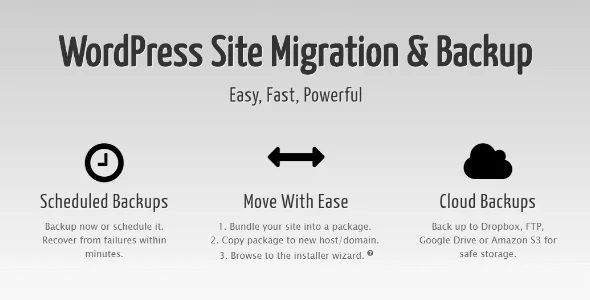
Duplicator Pro is a premium WordPress backup and migration plugin designed to help website owners safely clone, move, and back up their sites. Unlike basic backup tools, it packages a website’s entire database, content, theme, and plugins into a single zip file along with a standalone installation script. This unique architecture allows users to deploy or restore websites onto completely empty servers without needing WordPress pre-installed.
Key Features of Duplicator Pro
While a basic Lite version on WordPress.org exists for simple, manual migrations, upgrading to Duplicator Pro unlocks automation, scaling tools, and enhanced security:
- Automated & Scheduled Backups: Set up hourly, daily, or weekly schedules to run backups automatically in the background.
- Cloud Storage Integrations: Stream your backup packages directly to remote endpoints including Google Drive, Dropbox, Microsoft OneDrive, Amazon S3, and secure FTP/SFTP servers.
- Drag-and-Drop Installs: Migrate a site effortlessly by dropping the generated archive directly onto the destination site dashboard.
- Recovery Points: Create rollback checkpoints to swiftly restore your site back to a healthy state if a plugin or theme update causes it to crash.
- Large Site Support: Features a multi-threaded engine optimized to bundle massive files and deep databases that usually time out on shared hosting.
- Multisite Capability: Backup or migrate an entire WordPress Multisite network, or extract a specific sub-site to deploy as a standalone webpage.
- AES-256 Encryption: Securely encrypt your archive packages to safeguard your database passwords and client records.
Basic Migration Workflow
Migrating a website using Duplicator Pro bypasses the difficulties of the usual installation process in five main steps:
- Build a Package: Open the plugin dashboard, click Create New, and let the system scan your site.
- Download Components: Download your archive file (
.zip) and the specializedinstaller.phpfile. - Upload to New Host: Move both files via FTP/SFTP into the root directory of your blank web server.
- Run the code: Open your browser and go to the address ://yournewdomain.com.
- Installation complete: Follow the instructions to automatically extract files, map the database, and clean up temporary installer paths.
User Reviews
Only logged in customers who have purchased this product may leave a review.



There are no reviews yet.