Beanzo – Coffee Shop & Cafe Elementor Template Kit
Free!
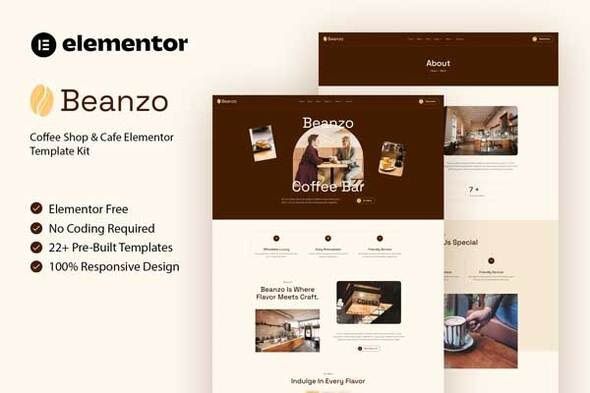
Beanzo is a template suite specifically designed for Elementor, designed to build websites for cafes, bakeries, and restaurants. This template suite helps you create a professional website quickly without needing any installation knowledge.
Key Features
- No Elementor Pro required: You can use the free version of Elementor.
- Over 22 available page templates: Includes all essential pages such as Home, Menu, Reservations, About Us, Photo Gallery, Blog, and Contact.
- Modern & Responsive Design: Clean, modern interface that displays well on all devices (Responsive) and is optimized for SEO.
- Easy Customization: Supports changing colors, fonts, and layout with just a drag-and-drop gesture.
Templates Include:
- Global Kit Style
- Home
- About
- Menu
- Reservation
- Team
- Events
- Gallery
- Testimonials
- Careers
- Career Detail
- FAQ
- 404 Page
- Coming Soon
- Contact
- Blog
- Single Blog
- Header
- Footer
- Jkit Tabs – Menu
- Metform Reservation
- Metform Contact
Plugins installed with kit:
- Jeg Elementor Kit
- MetForm
How to Use Template Kits:
- Install and activate Envato Elements from the WordPress library.
- Upload the Zip file of the Elements kit from the Elements menu > Installed Kits.
- Install the required ports (Required) as prompted by the system.
- Import the Global Kit Styles first, then import each specific page template to ensure design consistency.
- Go to Pages and create a new page and click Edit with Elementor
- Click the gear icon at lower-left of the builder to view page settings and choose Elementor Full Width and hide page title Click the gray folder icon to access
- My Templates tab and then Import the page you’d like to customize.